Showing posts with label learning. Show all posts

Thursday, February 25, 2016

Ninja Online Teacher Skills Detective

The Myth:
  • When student go online they disappear and never come back.
Reality:
  • The online teacher fights to keep that student alive on line like a life guard saving a drowning swimmer.
  • Sometimes the problem is simple. 
    • They forgot their password. 
    • They lost the mentor teacher's number. 
    • The device broke.
    • Internet is down. 
  • Sometimes it's a sign of trouble
  • The student is not progressing. 
  • The student needs help and is not asking for it. 
What the online Ninja Teacher knows:

  • That if a student is not working- there's a reason. 
  • It is nesscariy to  have what we have come to call Spidey Sense. 
  • Look for problems before they happen. 
  • You get a sense for what questions should be asked at what time. Not asking that question is a sign of trouble. 

Reflection:
Being an online teacher requires a techie sense. You have to be able to trouble shot and problem solve across many systems. You have to 

Virtual school is not for everyone. Not every virtual school is the same. Our model is an outreadch to homeschooling families where parents engage in teacher planned direct instruction.  
The younger the student the more books and parents are needed. 

Ninja Strategies:

Build that relationship before you have to make a difficult call. It makes the difficult call easier.
  • When in doubt, call. Ask more questions.
  • Don't wait to respond to parents.
  • Use all your tools to detect the answer. LMS reports. Communications logs. You cannot monitor their face so monitoring the data.
  • Progress is a huge hurdle for online students. Communication can help.


What are the skills an online Ninja teacher has?
Ninja skill 1:Detective 
                   The myth is that we as online teachers are faceless.
                    The truth is as an online teacher I may not know their face but I know them better academically.
Strategies the Ninja Uses: 
We always have to be on the look out for things that make the spidey sense tingle. Is there a software problem? Is that tech working right? Has the student been online active enough this week? Is that really the student's writing?


Monday, January 4, 2016

Ninja Skills of Online Teaching: Organization #mlearning #k12online

The Myth:Online teachers stay in their PJ's all day and take naps.
Reality: Your still in your PJ's because you were too busy to get dressed today!
Teacher will quit online teaching because they cannot organize themselves.
Students reach out to you at all times. Sunday nights, Christmas day - because some are not Christians.

What the Ninja online teacher knows:
  • The classes are there for the students 24/7. School is always open. 
  • Many students are not working traditional school hours.
  • Between welcome calls, weekly interactions, answering questions and live lesson, I feel like I am always behind in grading. 
  • Many teachers struggling with the lack of structure. 

Reflections:

When I started teaching online it was hard to find a balance because all the student are in all different places all the time. One student might have the essay test from lesson 20 waiting for me to grade, while another is just starting composition and another is asking me to tutor them in fractions.

Grading papers during the day is great but it's often interrupted. It's hard to not to respond to every student instantly.

It was hard to find a rhythm. And that rhythm is something that changes every school year due to the students work habits. It's a balancing act between instantly responding to student, keeping up on grading, making sure weekly interaction happen, and keeping up on paper work.

Ninja Strategies:

  • Make a list of what your duties are and build a schedule from that.
  • When building your schedule, it's OK to have published grading time where you are not available.
  • Know your busy times. The end of the semester you will be slammed. In the brick environment, I gave one test to get class at finals. In the click world those kids may submit many tests each or have retakes. Get ahead of the work in preparation for those slam times.


Saturday, December 26, 2015

Ninja Skills of teaching online: Relationships #mlearning #k12online

Relationships:
The Myth: Kids online disappear. They go online and you never hear from them again.

What ninja online teacher knows:

  • Those welcome phone calls began a relationship with the student that is personal. 
  • Student will open up more on the phone than in front of 30 other peers. 
  • Conversations between the online teacher and the student are 1:1 not 1:30. 
  • There's always that kid in the back of the room that hid and did engage in the discussion. They used the herd to hid in. That's gone in the 1:1 conversations online. 
Reflections
  • As an online teacher, I may not know each students' face as well but I know their brain better.
  • Overall I know each student deeper because in the one on one relationship, you cannot hide in teh herd. 
  • I know a greater number of my parents because they have a stronger role in their child's education when it happens at home.  
  • Word of mouth and personal recommendations are the the strongest ways to increase enrollment. Teachers are the one that build those relationships. 
  • Always remember your teachers are the greatest tech you have. 

Ninja Strategies
  • Relationships are the key in online learning. Motivation and communication are personal. Discovery that students passions. Find that one thing about each student - their passion pr talent. Ask them about it again and again. 
  • Make your avatar a picture of you. Encourage the students to do the same. 
  • In your cell phone contacts, include a picture of the student, the phonetic pronunciation of their name, and their parents name. 
  • Send random text or message just saying hi.
  • Send message with good news. 


Monday, January 5, 2015

Facing the Truth with Google Inbox #gafe @googledevs

I have recently been given an invite to inbox. There are not that hard to get. You can request one at http://www.google.com/inbox/ or if you know some one that it - they can invite you. It's the "and they tell two friends" roll out. (See old cultural reference that follows. Use YouTube if you are too young)


So far it's an adjustment but a truer use of email. Emails are task or informational. They all have a purpose at least to the person sending it. Inbox handles those task messages very well. Inbox bundles your incoming messages much like Gmail does with social and promotional tabs. But there are more bundles then tabs. It bundles the type of messages. Personally the promotional message, I only read if I am looking for something from that store. It's nice to have they in their own bundle and out of the way. I feel like I get so much less junk email.

When a message comes in, you can

  • pin it - to  keep it in your inbox. 
  • Plan it by setting a reminder. Cool note reminders have actions attached to them such as call Mom 
  • Procrastinate it by setting a snooze. Snooze can be time or date. Cool thing, they can be location based too. 

Things I like

  • The Snooze by location. 
  • The "do this always" option when I move something from a sender to a different bundle. 
  • I can still access the same account with Gmail and everything looks the same. 
  • The iOS app on my iphone. 

Inbox visual layout is more like Google+ then Gmail. The menu is a left side fly out. Help is way at the bottom of the menu. Setting

From the Help: Some features work just the same in Gmail and Inbox, like archive and done. For some other Gmail actions, there's an Inbox feature that does something similar, but works a bit differently.
Common actions that are the same
GmailInbox
ArchiveDone Mark done
DeleteMove to Trash Move to
Report spamMove to Spam Move to
ComposeCompose 
Common actions that are similar
GmailInbox
StarPin Pin
Read later (mark as unread)Snooze Snooze
Email yourselfCreate a reminder 
Organize with inbox categoriesBundle labels in your inbox
Create labels & filtersCreate custom labels & automatically add emails

Things I am struggling with.

  • I starred many messages because they are To Do items. I think this would translate into pinning them. 
  • Deleting is more buried then I would like. 
  • I am translating my Gmail skills to the new inbox. 
  • Some functions are still only in Gmail. So you cannot completely cut Gmail out of your life.
  • The iOS app is iphone. There is not a iPad version. 


Overall This is a an email that functions with what emails are better. The organization will take some getting used to. I'll post again as I keep playing. It's more complex than Gmail but I am leaning towards more productive.


LOLZ


Friday, December 26, 2014

Bird walk of the day improves by blogg #edtech

So it's the day after Christmas and that's a take it easy day. So I was wandering/wondering around on the internet. My blog has long bothered me for a few reasons. First it's not organized. I blog for different purposes and they are all mashed up together. The side bars are boring.  The function is not what I would like it to be.
So today's bird walk led me to places that taught me how to add tabs, labels, and view by label to my blog.  Look at the great resources on my NEW Blogger Resource tab if you would like to add these to your blog.
Still on my to do list is:
social widget found here: http://myhelpblogger.blogspot.com/2014/06/blue-color-social-subscription-widget.html
I'd like dynamic views to work.
and updating me website.

I hope I have started you off on your own bird walk.

Tuesday, December 9, 2014

Google Certified Trainer- what may be holding up your app? #gafe


Have you applied in the last round of applications? I did!  The deadline was in November with notifications going out the week of December 2nd.  Well that's come and gone and no words. Soooo I did some digging.

First you fill out an application here: https://googleedu.onlineapplications.net/app/main/ You will need a training resume, training style demonstration in the form of screen cast or video, and training case study.

The part I did not know is that you need three online references. Once you give their name and email, they get a message from grants@resources.com. Your application is submitted but not completed until one of them fills out the form. From what I can guess, it's only one. I gave work emails and the filter kills the reference request. After the deadline, I went and switch it to personal emails. Luckily one of my references is a great person and stopped everything to fill it out right then.

My application then became "completed". Since then I got another message from google-educaiton-trainer-program@google.com that says:

Thank you for submitting an application to the Google Education Trainer program. Due to the high volume of applications received this round, we are experiencing a significant delay in reviewing the applications. We expect to email you a decision by December 15, 2014. We appreciate the time and effort you put into completing your applications and are ensuring that they are thoroughly reviewed. Thank you again for your patience and understanding.


-The Google Education Trainer Program Team


So there's still hope for me ( and you too!) i know a lot of us were talking about this on Twitter so I thought I would give an update here. 


Monday, November 3, 2014

Google Domains Review #1 #migoogle #gafe


Buying a new domain
Easy. I have Google Wallet already. The hardest part is finding an URL  that is not taken.

Transferring a Domain
Currently I am waiting for the final release of my domain from my old provider but it was quick. There were links to click on with directions for my old provider. They made it simple.

Comparing
I have had domains with GoDaddy since 2005. GoDaddy has always worked but their screens are messy. The navigation is confusing. Google Domains is cleaner and clearer. It is a Beta with less features so that helps keep the screens cleaner.

Features
I am looking forward to sub-domain. I own mrsalspach.com. Now I can have break that into other URL's such as firsthour.mrsalspach.com or britlit.mrsalspach.com or science.mrsalspach.com. Privacy cost extra with GoDaddy. I have used domain forwarding and email aliases with my old domains. The setup screens looked cleaner with Google Domains, more in later reviews.

Cost
For a .com that cost was the same. But Google Domains included privacy in that cost where Godaddy was extra. Prices will vary.

How did I get invited
This summer, not sure when, I filled out an app to be part of the Google Usability studies. Shortly after I was asked to fill out a survey. The survey would take 45 minutes and they would send me a $50 gift card. The survey was just sorting menu options into what I thought was sensible menu sets. It took 20 minutes tops.
On October 30th, I received an invite in the mail.


Sunday, October 26, 2014

Omni in Omnibox: Thinking inside the box #migoogle #geducator #gafe

Omni in Omnibox
The : tricks
Define:
Site:.edu
:filetype :ppt

Information

Compare coffee to tea
Converting
Currency $400 in euro
Units of measure 3.5 miles in km


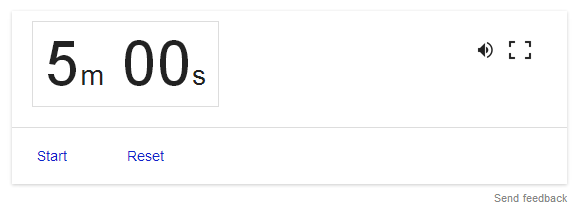
timer (Full screen / works in background tab)
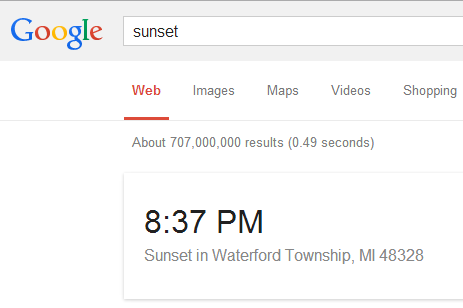
Sunset/sunrise/weather

movies 48309
Video Game information
new week of 10/19
If you search for a video game by names there’s a sidebar summary of it.

Truly Important Stuff
tilt
Google Gravity ( I feel lucky)
askew
anagram ( notice the did you mean)
do a barrel roll
the answer to life the universe and everything
Atari breakout image search

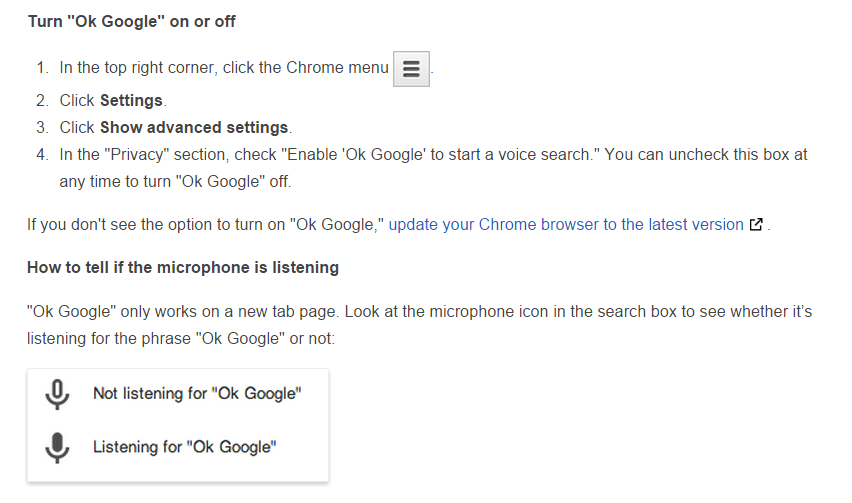
“Ok Google” in your laptop in Chrome


Sunday, August 3, 2014

Better my blog

I am trying to improve my blogging. Here's my to do list

Improve layout
get link to web site going
twitter link working
tag cloud

put images on all posts. I found this resources with free sources. http://weblogs.about.com/od/startingablog/tp/FreePhotoSites.htm
I like pixabay best so far.

Coffee, Coffee Cup, Coffee Beans, Cup and just tested here< you can paste a picture into a blog post. You cannot do that on Google sites yet. You have to save then upload the picture which is a huge pain.

It's hard to find resources on Blogger so if you have any ones you like, please point me there.